Issues
Issues groups recordings about the same bug into one row. If the same error shows up in multiple recordings, it's grouped under one issue, to avoid duplicate PRs and unnecessary noise.
Issues web dashboard
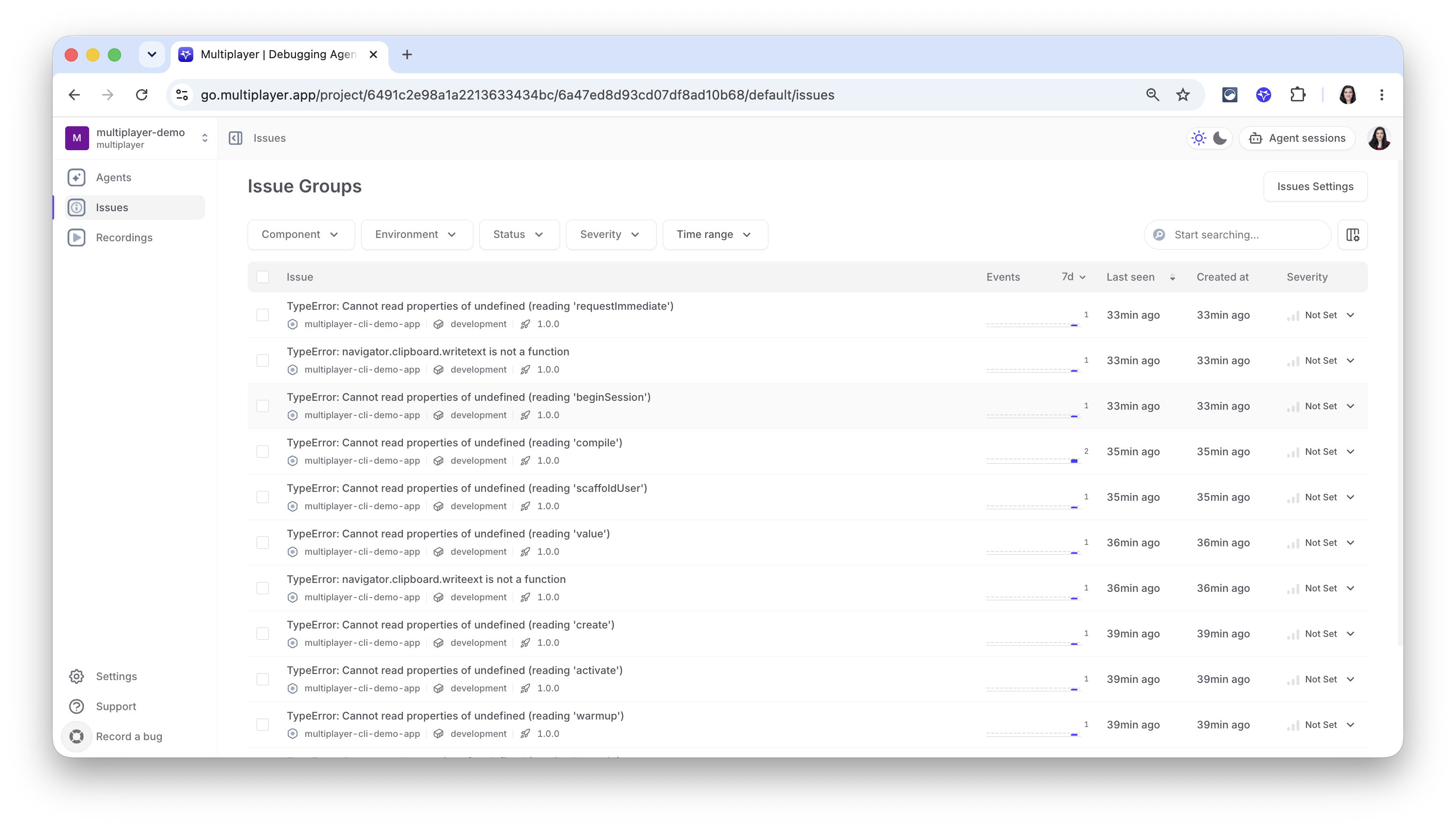
Each row is one issue: the error, the component and environment it happened in, and the release it shipped in. Events counts occurrences over the selected time window, alongside when it was last seen and when it was first created. Severity is a dropdown you can set yourself if it wasn't scored automatically.
Filter by component, environment, status, or severity, or search by name.
Issues Settings covers how recordings get grouped and deduplicated into a single issue in the first place.
Inside an issue
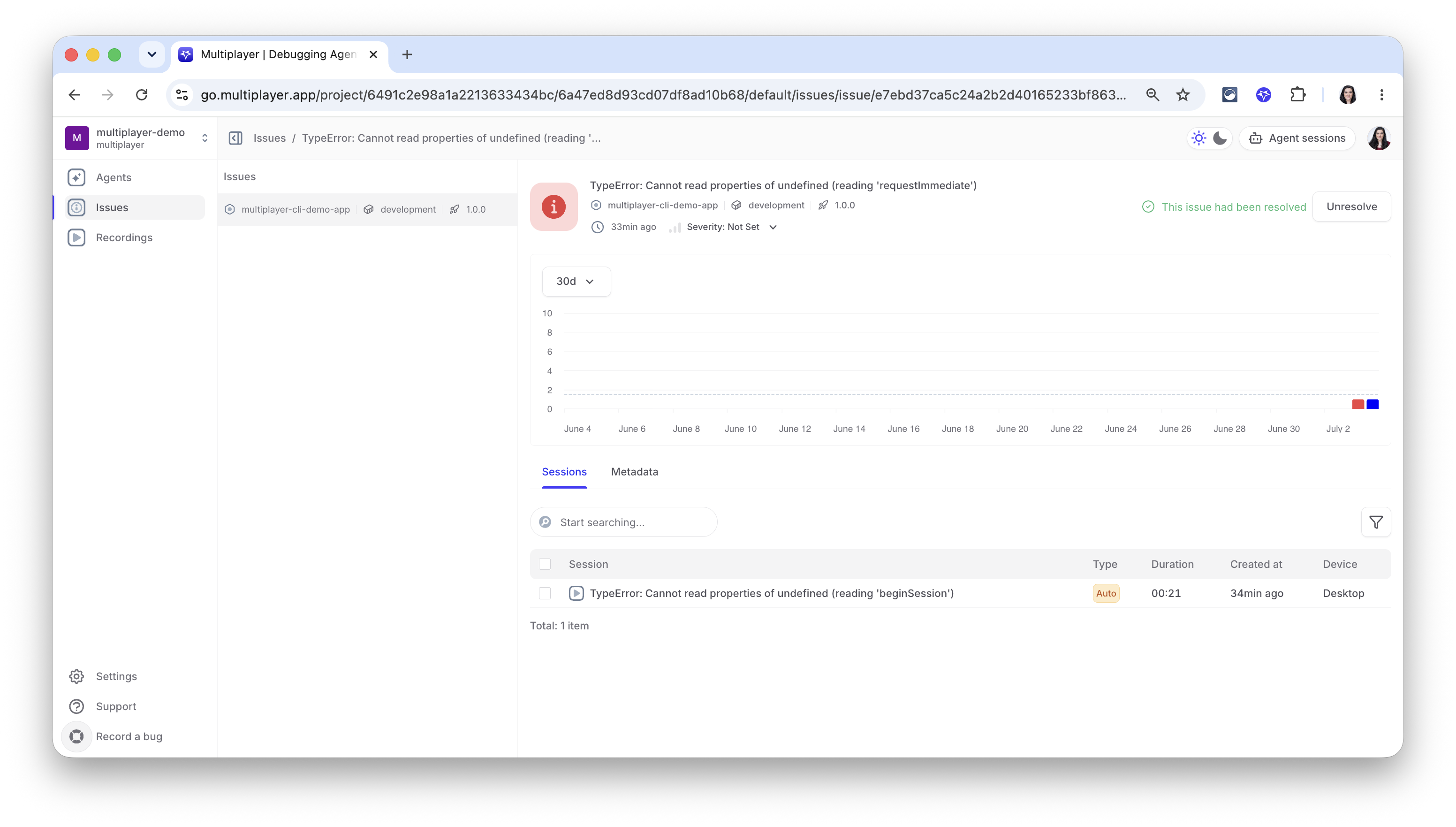
Clicking into an issue shows:
-
An event trend over a selectable window (7 to 30 days), so you can tell a one off from something spiking. Mark the issue resolved or unresolve it directly from here, and set severity if it wasn't scored automatically.
-
A Sessions tab listing every recording grouped into this issue: whether it was captured automatically or triggered manually, how long it ran, when, and on what device. This is the same recording data an agent reasons from when it picks the issue up, one issue can be backed by many recordings, and this is where you see all of them.
Issue settings
You can customize when an Issue is auto-create selecting any of the following categories in your project settings:
- Error
- Exception
- Feedback
- Outage
- Metric
- Database Query
- HTTP client
- Frontend
- Mobile
In this same section you can also increase or decrese the "Fixability score threshold": the minimum fixability score (0-100) required before an issue is auto-resolved.
Next steps
🚀 If you’re ready to trial Multiplayer with your own app, you can follow the steps in the quickstart.
📌 If you have any questions or want to report bugs please open a GitHub issue! 💜