Agents
The Agents tab is session history for every agent your team runs, not just your own. Your terminal shows you the session in front of you. This tab shows every session anyone on the team has run, finished or in progress.
Agent sessions web dashboard
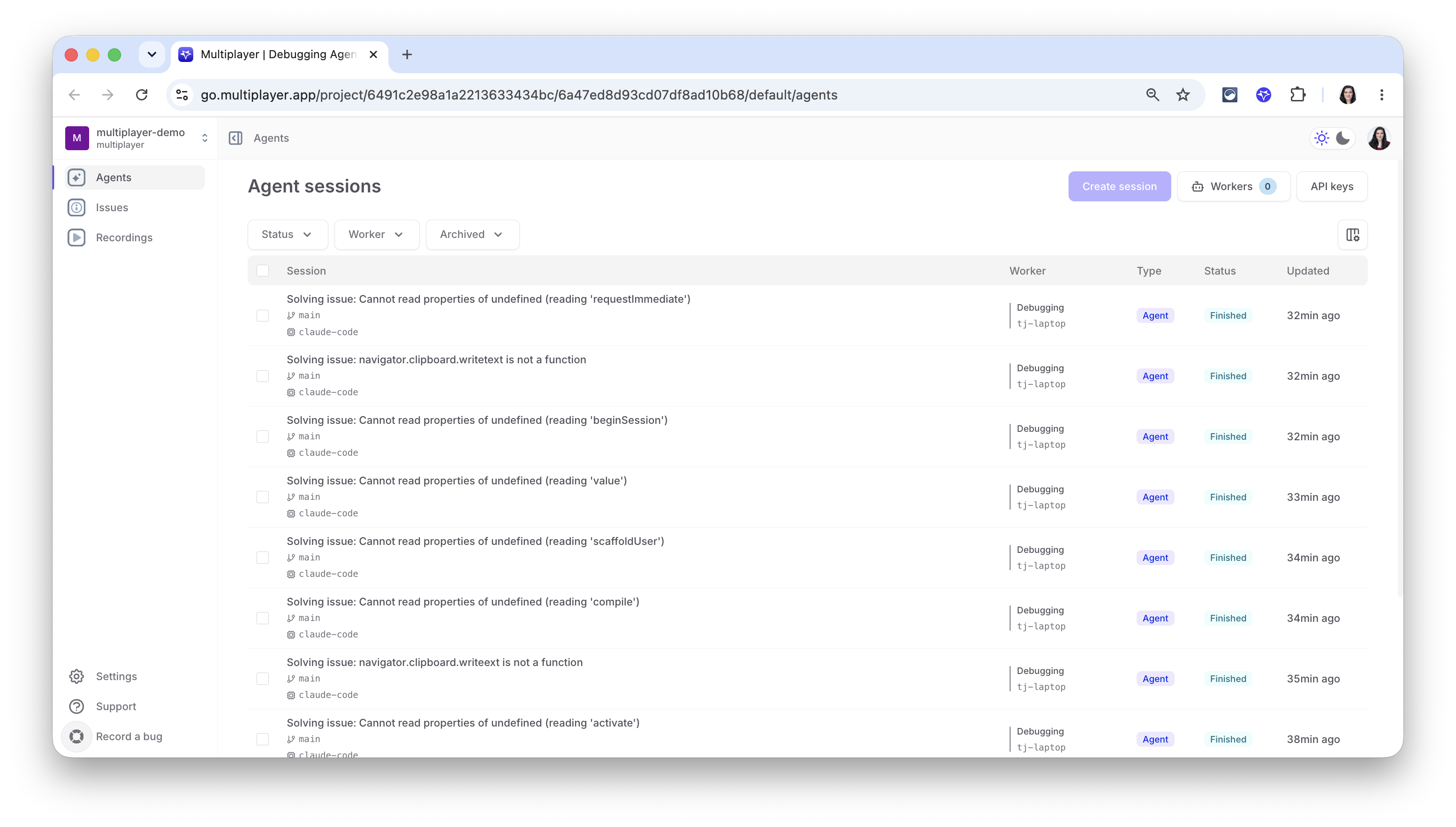
Each row is one debugging session: the issue it was solving, the git branch and coding agent used, which worker (debugging agent) ran it, its status, and when it last updated. Filter by status, worker, or archived state.
Inside an agent session
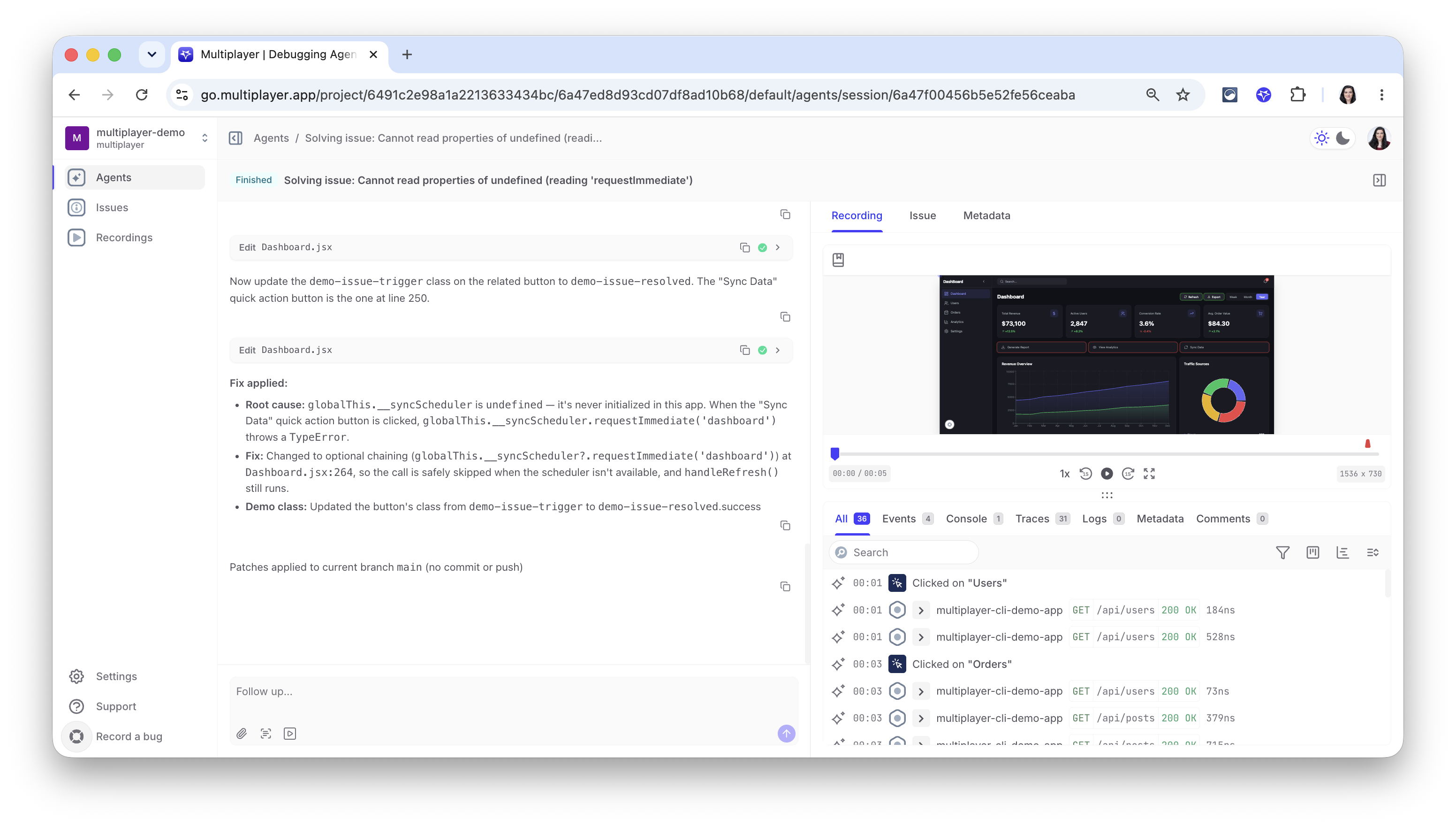
Clicking on a debugging session shows:
-
The conversation between the Multiplayer agent and your coding agent: which files it read and edited, its explanation of the root cause and the fix, and whether patches were committed or just applied locally. A follow-up box at the bottom lets you keep going, ask a question, redirect the fix, or point it at something it missed. If a session is still running, this view streams live, you're watching the agent work in real time.
-
The recording, issue and metadata on which the debugging session was based. You can review the full-stack, unsampled data based on which the coding agent reasoned.
Next steps
🚀 If you’re ready to trial Multiplayer with your own app, you can follow the steps in the quickstart.
📌 If you have any questions or want to report bugs please open a GitHub issue! 💜