Testing
API integrations
Notebooks unify design, validation, and testing in a single, interactive space.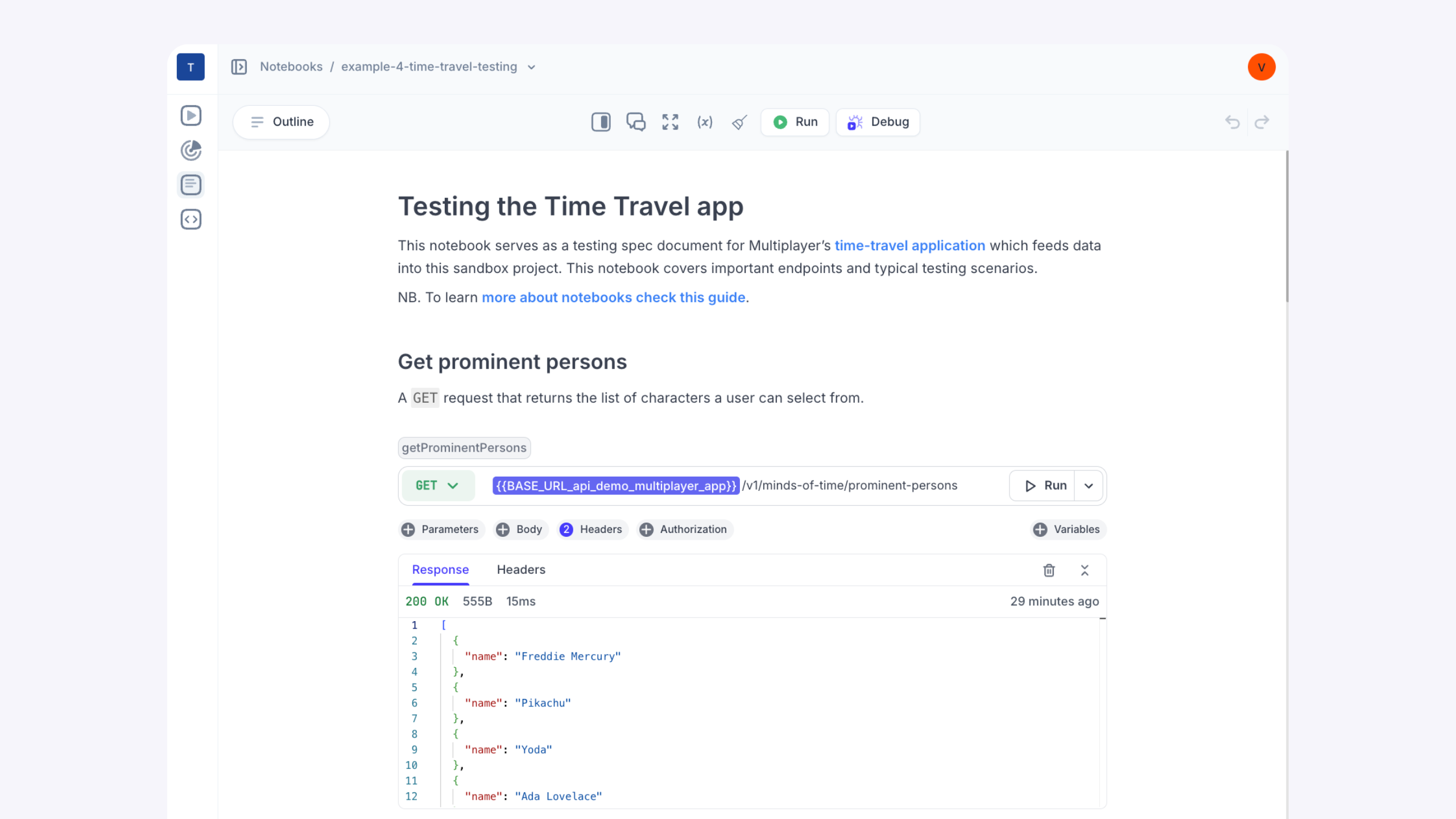

“Debugging used to take hours. Now we capture the exact flow, turn it into a test, and reuse it. It’s made cross-team debugging way less painful.”

Test API integrations with real data, not guesswork.

Problem
- Wasted hours inefficiently testing and reverse-engineering undocumented endpoints
- Difficult to debug test failures due to hidden downstream dependencies and lack of end-to-end tracing
- Incomplete test coverage due to missing edge cases and real-world usage patterns
- High effort required to periodically review and rewrite integration tests that become outdated with evolving system behavior
- Regression risk due to lack of persistent, high-fidelity test artifacts
Solution
- Write, test, sequence, and debug API integrations all in one always-up-to-date workspace
- Trace exactly where a test failed, across systems and services, with full-stack session recordings
- Auto-generate test scripts from real production behavior, capturing edge cases, race conditions, and unexpected flows
- Notebooks act as long-lived regression tests tied to real API failures and components. Re-run them after every code change to ensure critical bugs stay fixed
One place to write, test, and debug API workflows
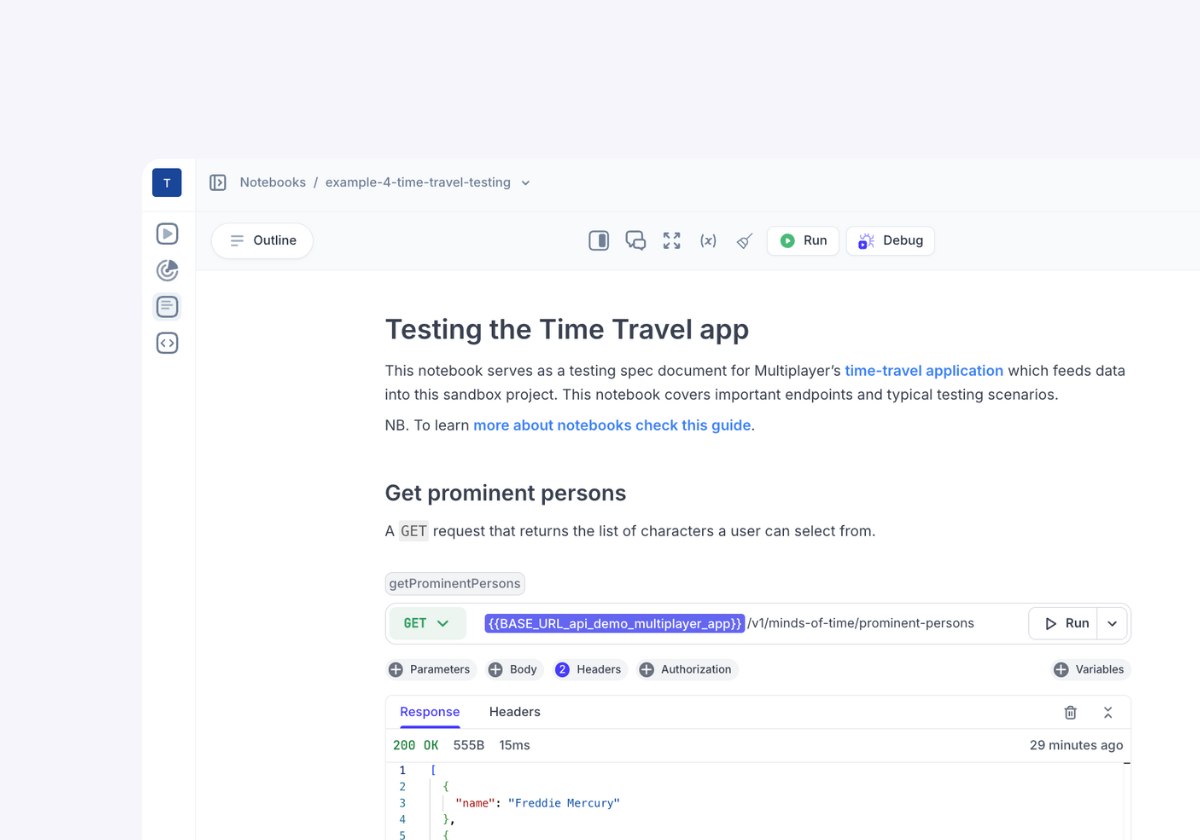
Run live REST API calls, execute JavaScript logic, and chain multi-step workflows.
Use Notebooks to simulate expected API interactions before deployment: verify request formatting, response handling, and real-world integration sequences. Quickly catch issues like incorrect headers, auth failures, or missing fields.
Why choose Multiplayer Notebooks for API testing?

Faster debugging
Quickly identify where tests fail with full-stack session recordings that show the entire request chain across all services.
High-confidence test coverage
Capture real-world edge cases, timing issues, and multi-step workflows as they happen in production, ensuring your tests go beyond just the happy path.
Accurate and reproducible tests scripts
Automatically turn full-stack session recordings into runnable test scripts that reflect actual system behavior, and re-run them anytime to validate fixes.
Built-in support for complex integrations
Test not just individual endpoints, but full integration sequences involving chained API calls, state transitions, and custom logic, all in one place.
Lower risk of regressions
Keep bugs from coming back by turning every fix into a persistent, shareable, and versionable test.
Collaborate without friction
Share tests with teammates in context — complete with inputs, outputs, and debug history — so everyone stays aligned and no knowledge gets lost.Start today for free
pairs with
Debugging agent for developers
The Multiplayer debugging agent connects your favorite coding agent to prod to fix application bugs automatically. It manages the whole process from bug identified to bug fixed: data gathering, intelligent triage and issue deduplication, coding agent prompting, PR creation and user notification.pairs with
Notebooks
Combine executable code blocks, API calls, specs, and unsampled, full-stack session data to validate flows, generate test scripts, or debug, test, and document API integrations.Bridge the gap between design-time validation and runtime debugging
Notebooks are live, editable integration tests, created either during design or from production failures, that you can run, share, and evolve over time.| Feature | API Tools | Multiplayer |
|---|---|---|
| Test API calls | ||
| Collaborate with external teams (Devs, Partners, QA, CS, etc.) | ||
| Write and run inline code within API workflows | ||
| Chain API and code blocks together | ||
| Test multi-step integrations | ||
| Debugging agent to automatically fix bugs next to your coding agent | ||
| Auto-generate test scripts | ||
| Embed explanations, ADRs, design notes | ||
| Embed graphs and tables |
API integrations with faster feedback and lower risk
Use Multiplayer, build better API integrationsSelf-host Multiplayer for free straight from the repo.
Open a GitHub issue for any questions or issues
Check out our in-depth technical documentation.
Best practices on system design, debugging, and observability.