Debugging API
integrations
Connect your coding agent to production and fix API integration bugs automatically. Use Notebooks to then turn that runtime context into specs, test cases, ...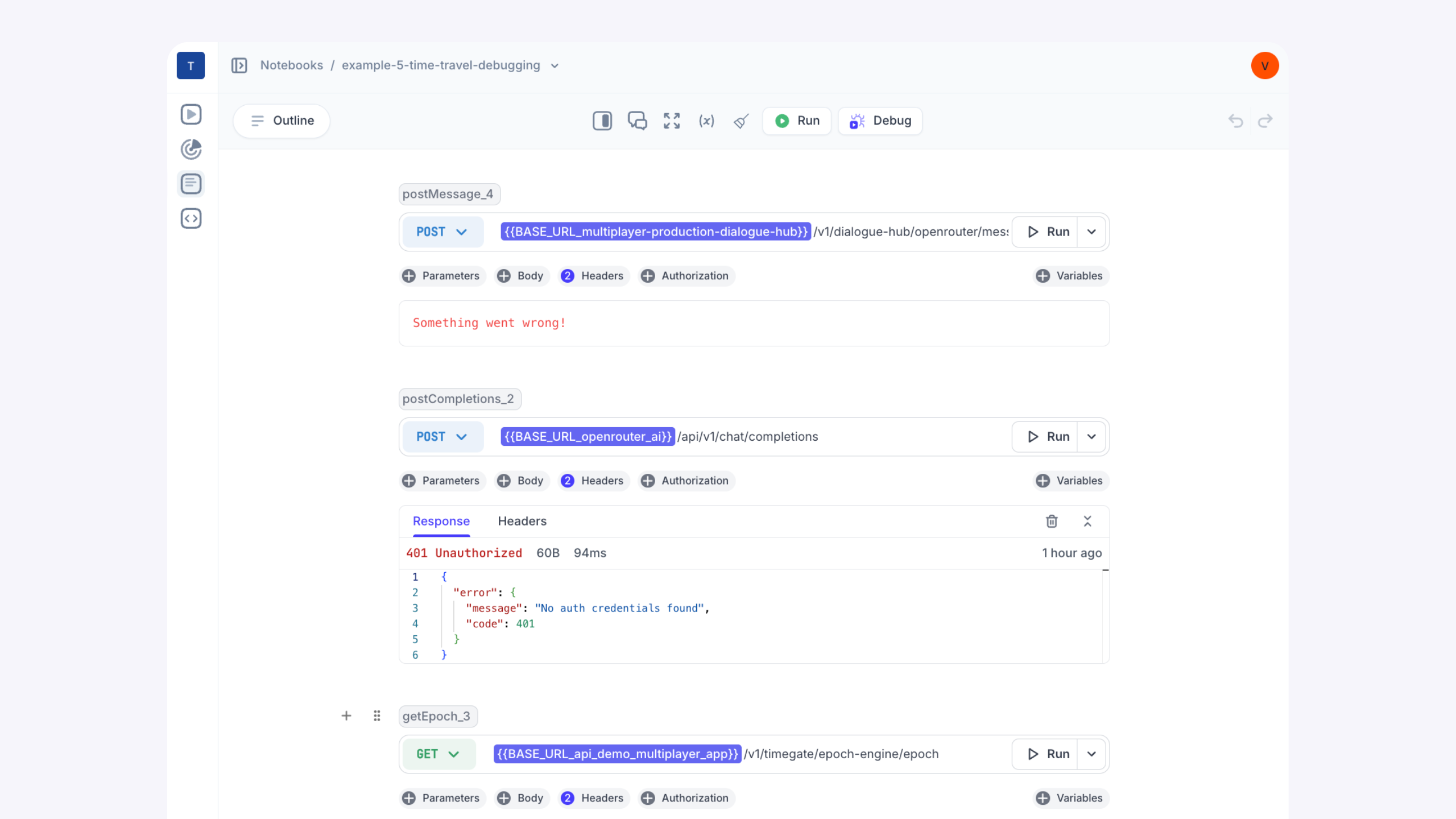

“I can see exactly what broke in an API integration and share it with engineering instantly. It’s reduced our MMTR (Mean Time to Resolve) by hours.”

Automatically fix API integrations and keep them fixed.

Problem
- Hard-to-reproduce bugs that only surface under real-world, production-specific conditions
- Limited visibility into the full request paths of service calls
- Manual correlation of logs, traces, and API payloads, often scattered across tools and teams
- Need to rely on tribal knowledge to understand API design and behavior, instead of accurate documentation
- Slow and fragmented root cause analysis due to cross-team coordination delays
Solution
- Automatically fix real-world failures with a local-first debugging agent powered by unsampled, full-stack, runtime data
- See the complete request path in a single timeline, from frontend screens to backend traces and logs, including request/response content and headers from all components in your system
- Turn real production issues into auto-generated, reproducible test scripts you can run, modify, and share
- Capture and centralize knowledge on API behavior, integration logic, and test coverage in one always-current workspace
Debug API integrations automatically with full runtime context.
Click through the steps to see how it works: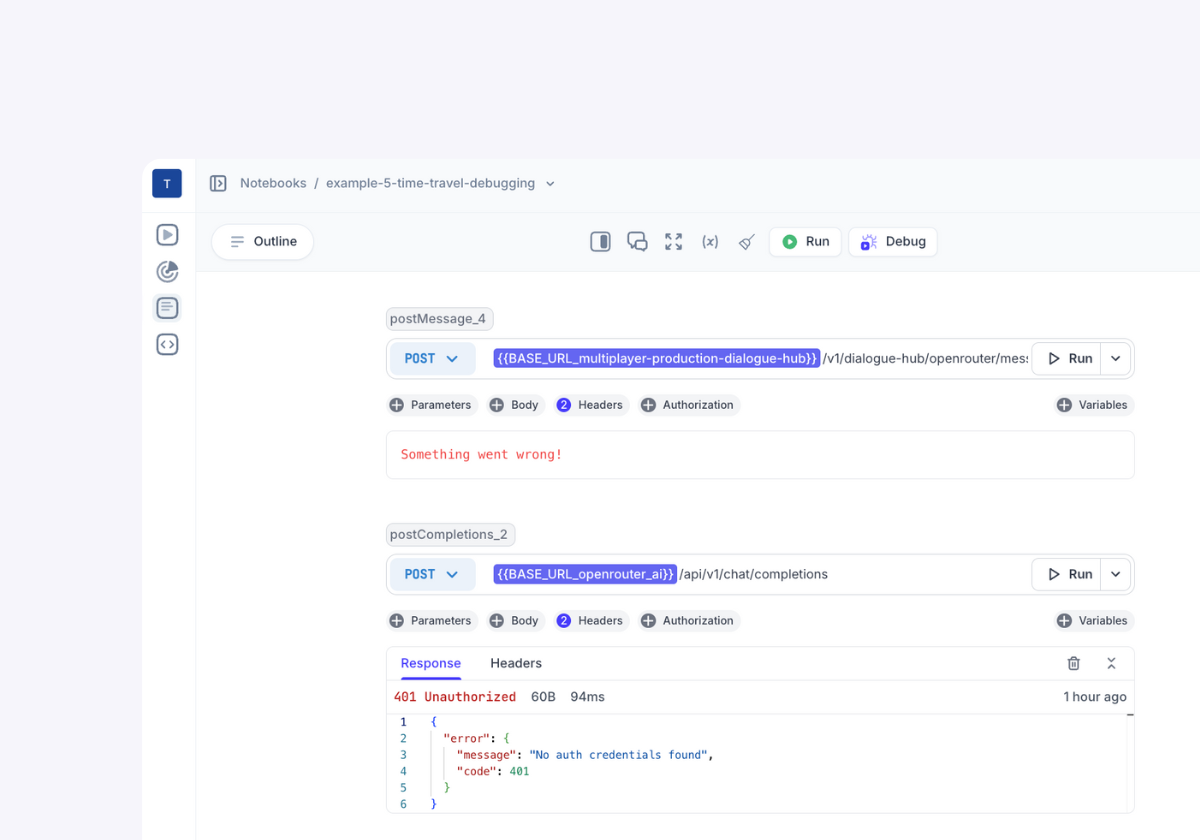
Catch bugs before they ship
Design and test API integrations in the same workspace, catching bugs before they ship. Use real API calls, inline logic, and multi-step flows to surface (and fix) issues early.
Automatically fix bugs in production
Test and document issues effortlessly
Experiment with fixes in real time
Collaborate with full context
Why choose Multiplayer Notebooks for API debugging?

Faster root cause analysis
Unsampled, full-stack, session-based debugging means knowing the exact root cause of an issue. You can pinpoint failures across services without digging through scattered logs or dashboards.
Automatic bug fixes
Automatically fix API integration bugs in any environment: run Multiplayer debugging agent locally, next to your coding agent, to generate high-quality, merge-ready PRs as soon as a new issue is identified.
Safe bug fix experimentation
Test potential fixes in the same environment where the issue occurred by modifying API calls or code blocks, and instantly rerunning the sequence to confirm resolution.
Reduce technical debt
Capture system behavior, edge cases, and integration logic in an interactive Notebook that always stays current. Replace tribal knowledge with shareable, living API documentation.
Prevent regressions
Turn every fixed bug into a persistent, high-fidelity test case that can be re-run after every change, so past issues stay fixed, even as the system evolves.
Cross-team shared context
Auto-generated PRs, agent debugging sessions, full-stack session recordings, test scripts, and API designs live in one interactive workspace, making it easy to align across teams.Start today for free
pairs with
Debugging agent for developers
The Multiplayer debugging agent connects your favorite coding agent to prod to fix application bugs automatically. It manages the whole process from bug identified to bug fixed: data gathering, intelligent triage and issue deduplication, coding agent prompting, PR creation and user notification.pairs with
Notebooks
Combine executable code blocks, API calls, specs, and unsampled, full-stack session data to validate flows, generate test scripts, or debug, test, and document API integrations.Fix API failures across systems, services, and teams
Multiplayer lets you fix real-world API failures, auto-generate reproducible test scripts, and centralize API design decisions and integration logic. All in one place.| Feature | API Tools | Multiplayer |
|---|---|---|
| Test API calls | ||
| Collaborate with external teams (Devs, Partners, QA, CS, etc.) | ||
| Write and run inline code within API workflows | ||
| Chain API and code blocks together | ||
| Test multi-step integrations | ||
| Debugging agent to automatically fix bugs next to your coding agent | ||
| Auto-generate test scripts | ||
| Embed explanations, ADRs, design notes | ||
| Embed graphs and tables |
Full-stack debugging
Catch API errors in production
Integration test debugging
Enhanced end-to-end testing
Trace API errors across microservices
Reproduce API integration bugs with real data
Debug API integrations without losing time or context
Use Multiplayer to see exactly what broke, why, and how to fix it.Start for free
Self-host Multiplayer for free straight from the repo.
Open an issue
Open a GitHub issue for any questions or issues
Get technical with docs
Check out our in-depth technical documentation.
Explore deep dive articles
Best practices on system design, debugging, and observability.