Multiplayer notebooks: build, test, and debug API integrations with ease
Notebooks are the ultimate tool for designing, testing, and sharing API integrations. No coding expertise required.


API documentation has long been stuck in a frustrating paradox: it’s either too rigid, too fragmented, or simply not updated when you need it most. Traditional API client tools (like Postman, Bruno, or Insomnia) do a great job of storing API requests, but they aren’t built to capture the full context behind an API—design rationale, dependencies, changes over time — and how it interacts with other APIs.
With this latest release, notebooks move beyond static API documentation. Now, teams can write, test, sequence, and debug API integrations, all in one place. By combining documentation, executable API calls, and live debugging, Notebooks provide a fully interactive and always up-to-date API workspace.
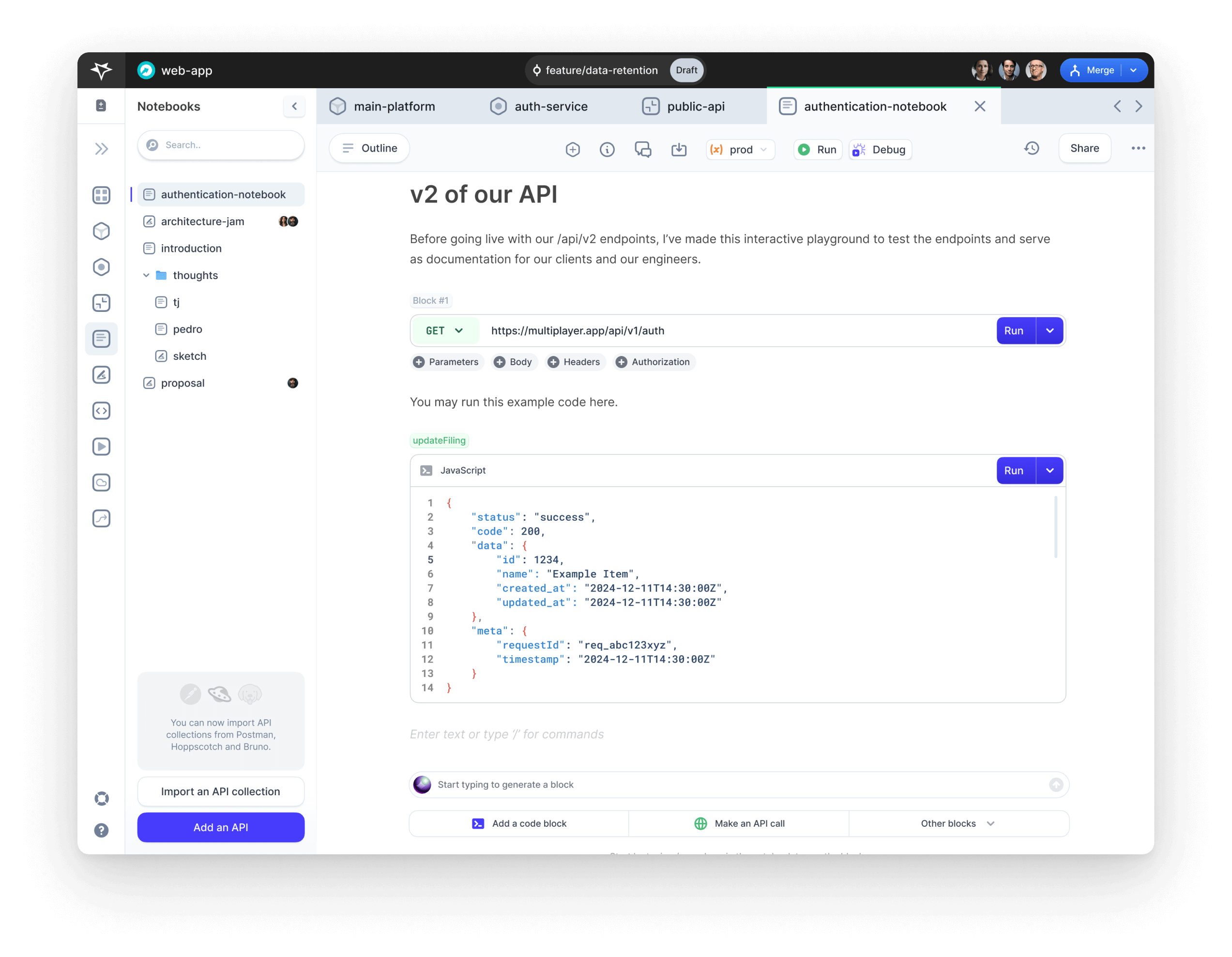
The best way to understand how notebooks work, is to see practical examples. So here are some notebooks you can explore in our free sandbox:
- example-0-testing-notebook-blocks: Overview of all the text / API / code / visual blocks supported in notebooks
- example-1-authentication-using-reqres: An example notebook using reqres API
- example-2-internal-api-wiremock: An example notebook of an internal API mocked using WireMock
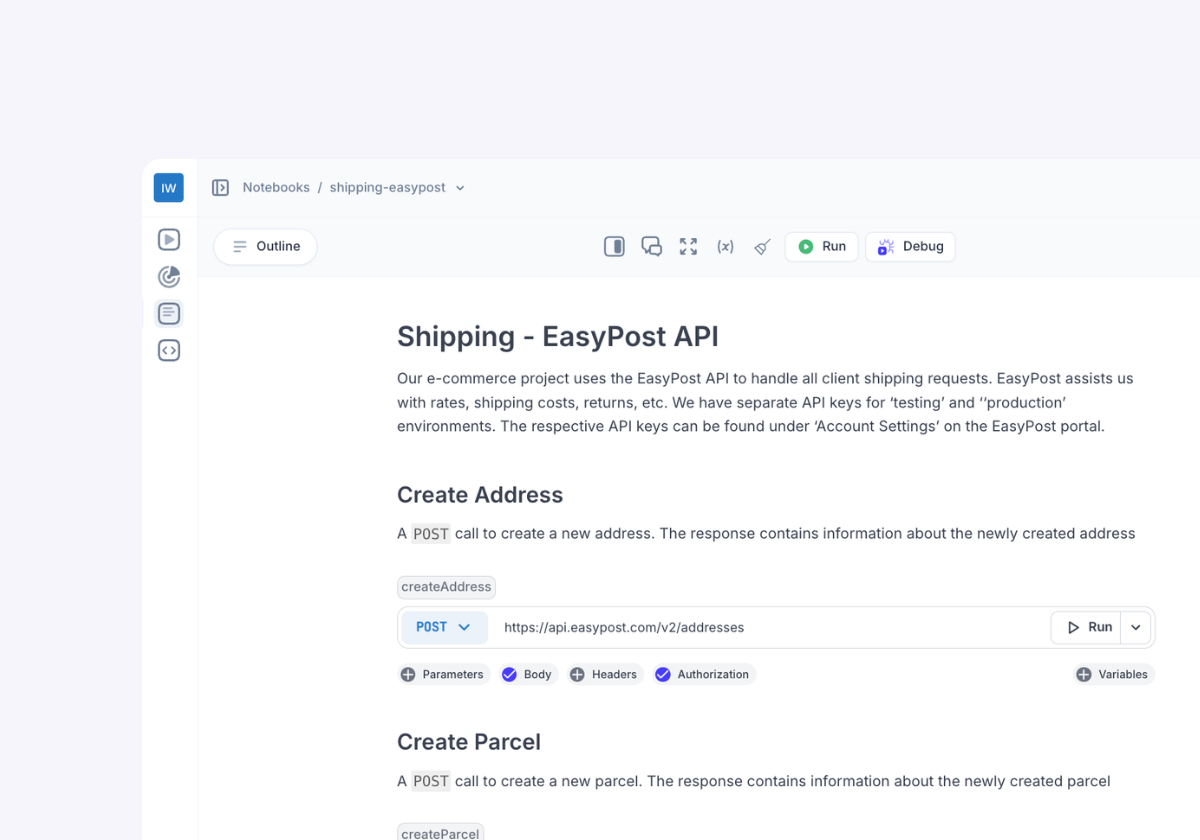
- example-3-shipping-easypost-api: An example notebook using EasyPost API
- example-4-time-travel-testing: An example notebook of a testing spec document for the Multiplayer’s "Time travel" demo app, which feeds data into this sandbox project
- example-5-time-travel-debugging: An example of a test script automatically generated from a full stack session recording of the Multiplayer’s "Time travel" demo app
Where notebooks started: a single source of truth for system design docs
The original vision for notebooks was to create a single source of truth for system design documentation, capturing not just what was built, but also why and how those decisions were made.
When designing a distributed system, a diagram is only the most visible artifact. The real complexity lies in the context behind the architecture: the trade-offs discussed, the environment-specific configurations, and the reasoning behind key technical decisions.
Some teams take a structured approach using, for example, Architecture Decision Records (ADR) or Software Requirements Specifications (SRS). But in most cases, this information gets scattered across Confluence pages, Slack threads, Notion docs, and handwritten notes, quickly becoming outdated and difficult to find.
Notebooks were designed to consolidate this tribal knowledge in one place, alongside critical system data, so teams could quickly access the full picture.
But we quickly realized documentation alone wasn’t enough.
To truly streamline how teams design, test, and refine their systems, documentation needs to be live and actionable. Which is why we’re taking notebooks a step further with integrated API testing and debugging.
The problem with traditional API client tools
Tools like Postman, Bruno, and Insomnia are widely used for managing API requests, but they fall short when it comes to documentation, collaboration, and system-wide visibility; essentially a holistic approach to how developers work with APIs.
Many teams rely on these tools, but our users consistently flagged key pain points:
- API collections are static snapshots: They don’t update when your API changes, leading to outdated collections that require manual upkeep.
- API usage guides are disconnected: Documentation often lives in separate tools, making it difficult to understand how multiple APIs work together. At best, teams are left with a clunky list of API calls; at worst, they’re forced into constant context switching just to piece together information.
- No system-wide visibility: API testing happens in isolation, with no connection to architecture insights or debugging workflows. Developers can’t easily trace API behavior across the broader system.
- Limited collaboration: API clients aren’t designed for team-wide sharing, reviewing, and iterating on integrations. Workspaces feel like personal sandboxes rather than collaborative environments where engineers, QA, and stakeholders can refine API interactions together.
Traditional API clients help you send API requests, but they don’t help teams understand, document, or troubleshoot APIs effectively.
Interactive API documentation with Multiplayer
Notebooks provide live, executable API documentation, allowing teams to see in practice how API’s should work and immediately identify when they don’t work as expected.
Here’s what you can do:
1. Write, test & debug API calls in one place
Instead of juggling separate tools for documentation, API testing, and debugging, you can now do it all in a single notebook.
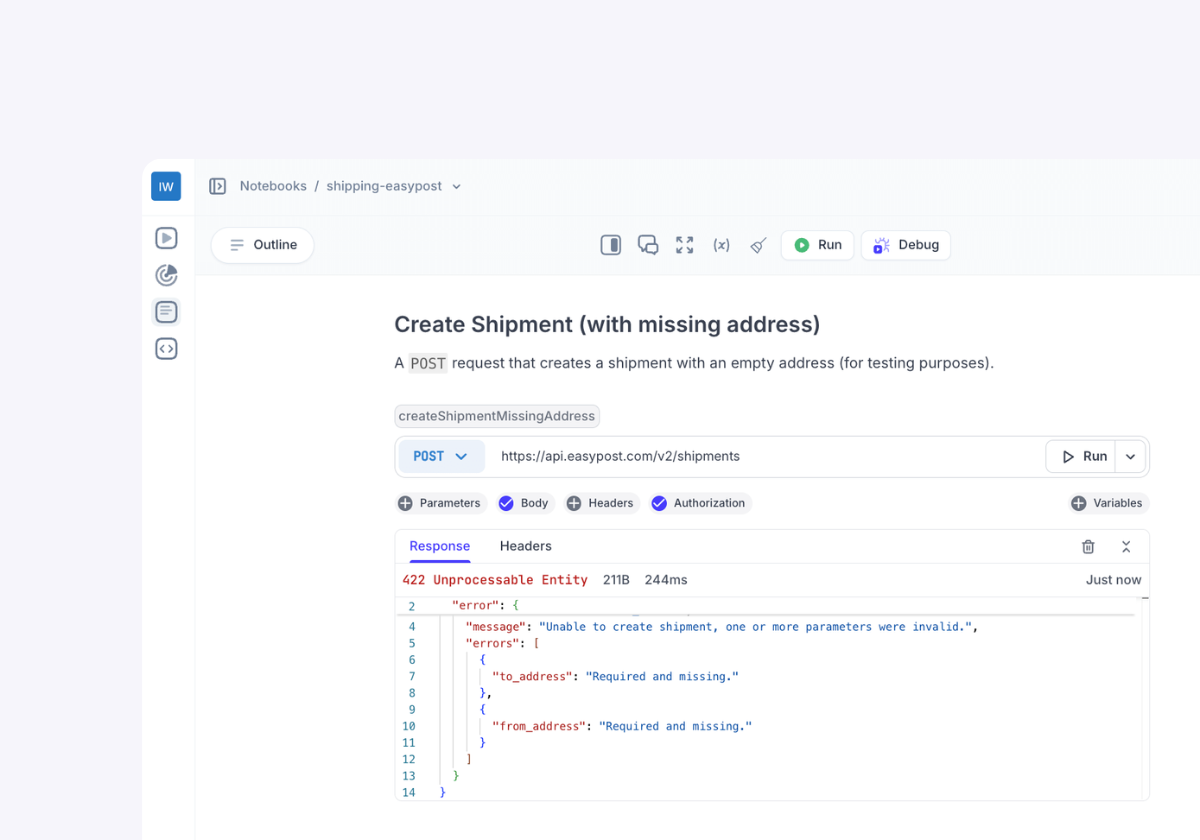
- Executable API blocks: Create API requests, sequence calls, and validate responses.
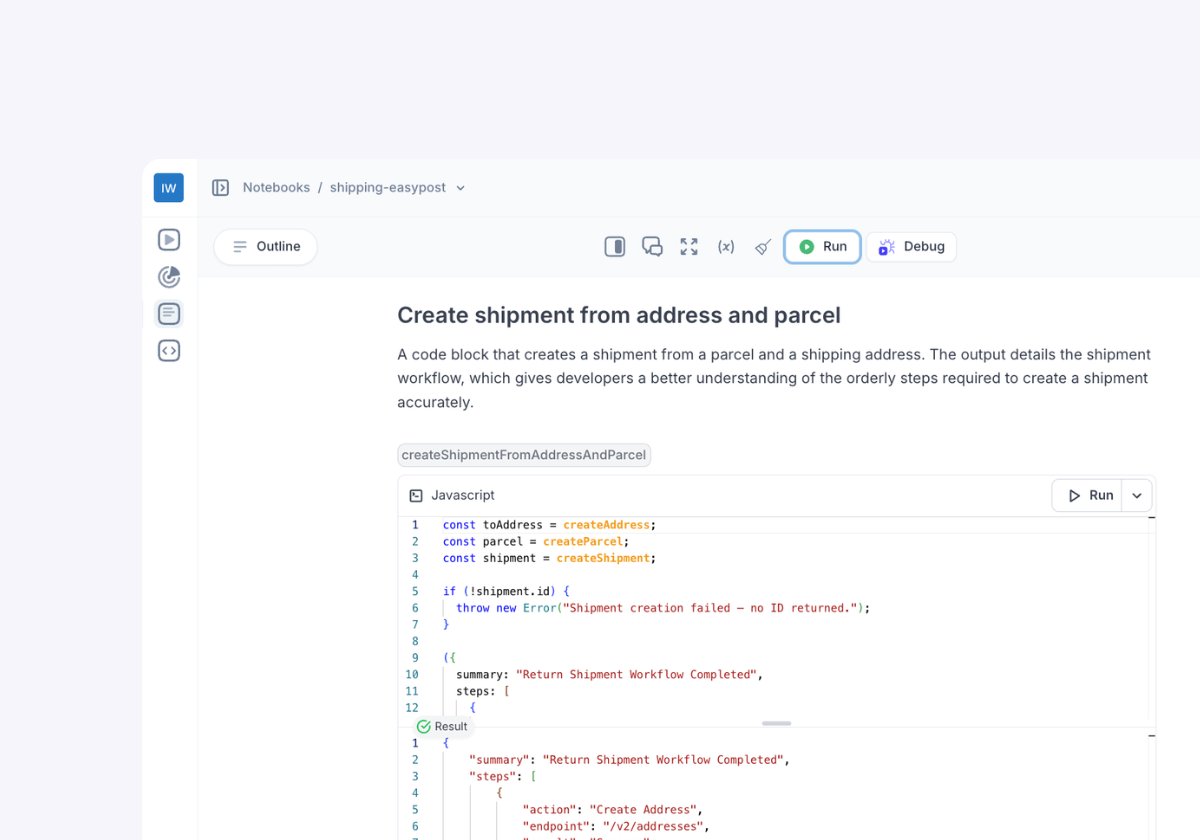
- Executable code blocks: Process API responses with JavaScript inline.
- Notebook variables: Store and reuse variables across multiple blocks.
2. Sequence API calls
Notebooks let you chain API calls together, using the output from one as the input for another. This makes it easy to:
- Simulate real API workflows (e.g., user signup → authentication → data retrieval)
- Test integrations between services
- Automatically format and process API responses
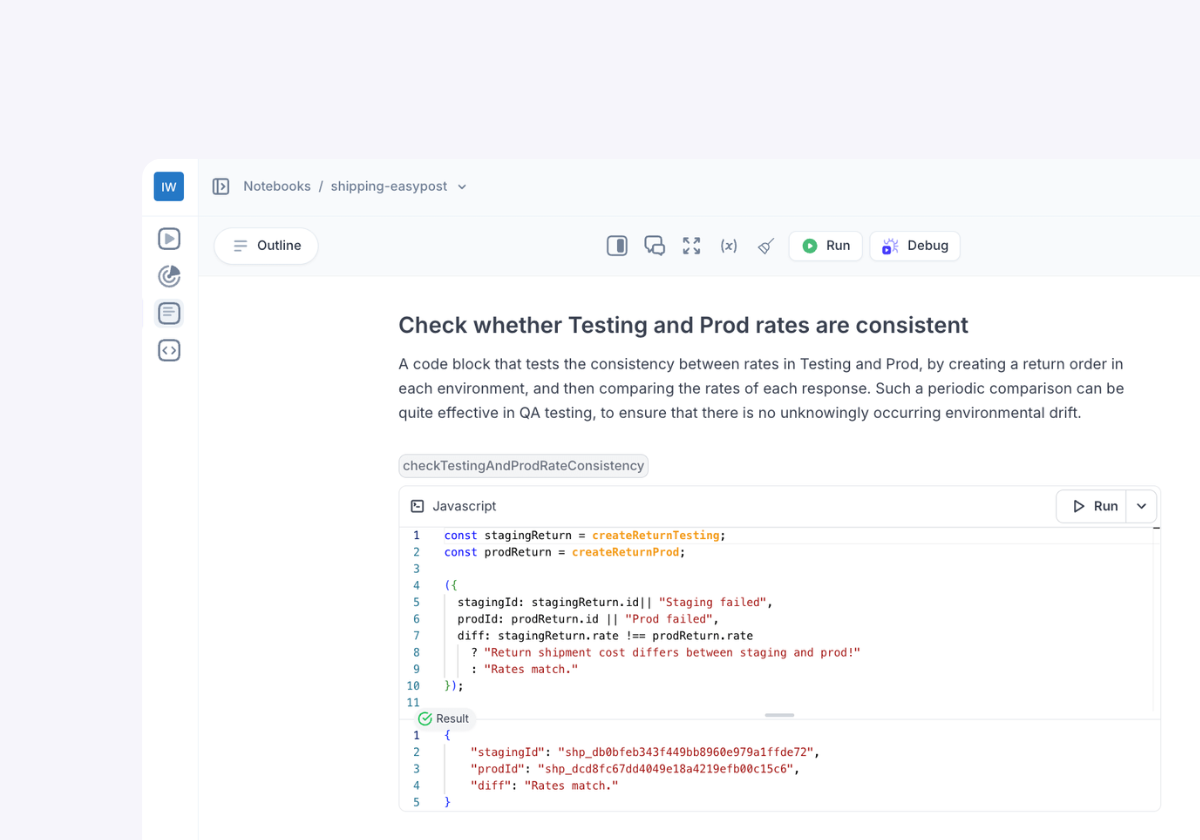
3. Debug API calls in context
What happens when an API call doesn’t work as expected? Traditional API clients leave you on your own to investigate.
With Multiplayer’s full stack session recordings, you can:
- Run API calls with full stack session replays enabled.
- See real-time backend traces, logs, and metrics for each API execution.
- Debug API failures without manually hunting through logs.
4. Share and collaborate on API documentation
Notebooks are designed for teams:
- Share notebooks with teammates, partners, and users.
- Explain API usage with rich markdown, code snippets, and inline comments.
- Replace scattered API docs with a single, interactive, and version-controlled source of truth.
The future of API documentation is interactive
APIs aren’t static, so why should their documentation be?
With notebooks, teams can now:
- Write, test, and debug API integrations, all in one place.
- Collaborate seamlessly, ensuring everyone has the latest API knowledge
- Eliminate manual updates and outdated documentation.
- Debug issues instantly with full backend visibility.
Notebooks go beyond traditional API clients by integrating API documentation with live execution, collaboration, and debugging. It’s time to rethink how we document APIs.
👀 If this is the first time you’ve heard about Multiplayer, you may want to see full stack session recordings in action. You can do that in our free sandbox: sandbox.multiplayer.app
If you’re ready to trial Multiplayer you can start a free plan at any time 👇